Library Updates
All Things Apple!

Our most popular program – happening almost every Thursday in the library’s Meeting Room!
If you have an Apple computer, iPad, or iPhone, and aren’t sure that you’re getting the most out of it or using it properly, join Beryn Hammil, “chic geek extraordinaire,” to help you figure it out. Her classes are the perfect solution to give you the start you need.
Come and learn the basics and beyond and be on your way to accomplishing what you want in the world of Mac computers, iPads, and iPhones. In each of these classes you’ll learn how to navigate, customize, and function effectively.
After the Basics Class at 1 pm, each specialty class in the series, starting at 2 pm, will cover a different topic for any and all of your Apple products as appropriate.
Additionally, in each class Beryn will talk about useful third party apps for your devices and/or tech related products for your home that she thinks you’d benefit from knowing about.
May 5
1 – 2 pm – Mac & MacBook Air Basics
2 – 3 pm – iPhone & Email – Learn how to maximize the functions built into the telephone part of the iPhone. And now that you know how to use your contacts and calendars, learn how to share photos, events, contacts, and correspond with everyone by using email efficiently and effectively.
May 12
1 – 2 pm – iPhone Basics
2 – 3 pm – iTunes – Learn how to set up this music, TV, movie software so you can listen and watch what you want when you want and share media with family members.
May 19
1 – 2 pm – iPad Basics
2 – 3 pm – Notes, Reminders, & Health – These apps are native to all current Apple devices and computers, and can make your life easier when you know how to use them properly. Learn how to use the Health app; it can be a lifesaver when it’s set up in your iPhone or iPad.
May 26
1 – 2 pm – Mac & MacBook Air Basics
2 – 3 pm – Messages, iBooks, & News – Stay in touch, up to date, and informed when you use these apps to communicate and read.
June 2
1 – 2 pm – iPhone Basics
2 – 3 pm – Maps, Wallet, the App Store, & Air Drop – Learn how to navigate your way around in any city, pay for what you want at a connected check-out stand, and download new and nifty third party software and apps so you can have fun, learn more and be more efficient. Suggestions will be made for apps that you might find useful. Learn how to quickly share items with people nearby using AirDrop.
June 9
1 – 2 pm – Mac & MacBook Air Basics
2 – 3 pm – Safari – learn how to search, save articles to read later when you’re not on Wi-Fi or broadband, and how to save a bookmark to find later on all your devices. Learn how to organize your bookmarks with folders for easy retrieval later, and how to use tabs.
June 16
1 – 2 pm – iPhone Basics
2 – 3 pm – Camera & Photos – We all like taking photos, but how do you organize, edit and share them? Learn how to do this on any and all of your Apple devices; computers, iPhone and iPad.
June 23
1 – 2 pm – iPad Basics
2 – 3 pm – Contacts & Calendars – Keep your friends, family and other contacts well organized and up to date so you can find their information quickly. Learn how to set up and use Groups in your contact list. When your calendars are up to date you’ll know when you need to be where. Learn how to set up color-coded calendars, alerts to poke you when necessary, and how to share events with others.
June 30
1 – 2 pm – Mac & MacBook Air Basics
2 – 3 pm – iPhone & Email – Learn how to maximize the functions built into the telephone part of the iPhone. And now that you know how to use your contacts and calendars, learn how to share photos, events, contacts, and correspond with everyone by using email efficiently and effectively.
July 7 – no class
July 14
1 – 2 pm – iPhone Basics
2 – 3 pm – iTunes – Learn how to set up this music, TV, movie software so you can listen and watch what you want when you want and share media with family members.
July 21
1 – 2 pm – iPad Basics
2 – 3 pm – Notes, Reminders, & Health – These apps are native to all current Apple devices and computers, and can make your life easier when you know how to use them properly. Learn how to use the Health app; it can be a lifesaver when it’s set up in your iPhone or iPad.
July 28
1 – 2 pm – Mac & MacBook Air Basics
2 – 3 pm – Messages, iBooks, & News – Stay in touch, up to date, and informed when you use these apps to communicate and read.
August 4
1 – 2 pm – iPhone Basics
2 – 3 pm – Maps, Wallet, the App Store, & Air Drop – Learn how to navigate your way around in any city, pay for what you want at a connected check-out stand, and download new and nifty third party software and apps so you can have fun, learn more and be more efficient. Suggestions will be made for apps that you might find useful. Learn how to quickly share items with people nearby using AirDrop.
August 11
1 – 2 pm – Mac & MacBook Air Basics
2 – 3 pm – Safari – learn how to search, save articles to read later when you’re not on Wi-Fi or broadband, and how to save a bookmark to find later on all your devices. Learn how to organize your bookmarks with folders for easy retrieval later, and how to use tabs.
New Fall Classes…
Sept 8th
1 – 2 iPhone & iPad Basics – learn how to navigate around your iPhone and/or iPad so you can customize it to suit your needs. This same technique works for both devices, so whichever one you have, you’ll learn how to use it better.
2 – 3 iCLOUD – learn how to set up and sync your devices so the same information appears on all of them and a change on one becomes a change on the others too.
Sept 15th
1 – 2 Mac & MacBook Air Basics – learn how to set up your computer to suit your needs and working style. Learn an overview of the applications that are already in it, and how they can work for you.
2 – 3 FACETIME and COMMUNICATIONS – Learn how to use your device to communicate via FaceTime and third party apps. This is especially useful when you travel and/or have family and friends in other parts of the country or world.
Sept 22nd
1 – 2 iPhone & iPad Basics – NAVIGATING AROUND IN YOUR DEVICE Learn how to arrange the apps, find them easily, and organize them into folders. You’ll get an overview of the apps that are already in your device and which ones work best for your needs. This same technique works for both devices. so whichever one you have, you’ll learn how to use it better.
2 – 3 TRAVEL TIPS – learn how to use MAPS and which third party apps are the best to help you when you travel. From finding where to stay, dine and be entertained to how to send photo postcards home from on your iPhone or iPad, you’ll learn something new in this session.
Sept 29th
1 – 2 iPhone & iPad Basics – TELEPHONE & EMAIL – Learn how to maximize the functions built into the telephone part of the iPhone. Learn how to share photos, events, contacts, and correspond with everyone by using email efficiently and effectively in either device. With the exception of the telephone, these same techniques work for both devices. so whichever one you have, you’ll learn how to use it better.
2 – 3 PHOTOS – learn how to create slide shows, books, and more using Apple’s Photo software in your computer, as well as third party apps that are excellent alternatives.
Oct 6th
1 – 2 iPhone & iPad Basics; CONTACTS & CALENDARS – Keep your friends, family and other contacts well organized and up to date so you can find their information quickly. Learn how to set up and use Groups in your Contact list. When your calendars are up to date you’ll know when you need to be where. Learn how to set up color-coded calendars, alerts to poke you when necessary, and how to share events with others. These same techniques work for both devices. so whichever one you have, you’ll learn how to use it better.
2 – 3 iTUNES – Learn how to set up and use this music, TV, movie software so you can listen to and watch what you want when and where you want, as well as how to share media with family members. Learn about Podcasts so you can be educated and entertained. And learn about third party music apps so you can create and listen to your favorite playlists while on the go or at home.
Oct 13th – NO CLASS
Oct 20th
1 – 2 iPhone & iPad Basics – SAFARI – learn how to search the internet, save articles to read later when you’re not on WiFi or broadband, and how to save a bookmark to find later on all your devices. Learn how to organize your bookmarks with folders for easy retrieval later, and how to use tabs. These same techniques work for both devices, so whichever one you have, you’ll learn how to use it better.
2 – 3 FITNESS & HEALTH APPS – learn how to monitor and keep track of all your hard work when you exercise using third party apps. Learn which apps can help you keep track of medications, remind you to move more, and generally keep you fit and healthy (don’t we all need a little bit of help here?)
Oct 27th
1 – 2 iPhone & iPad Basics – CAMERA & PHOTOS – We all like taking photos! Learn how to take better photos and organize and edit them on any and all of your Apple devices; computers, iPhone and iPad. These same techniques work for both devices, so whichever one you have, you’ll learn how to use it better.
2 – 3 APPLE TV – Learn how you can share and watch photos, movies and TV, and play music from any of your Apple devices onto your television set, as well as watch TV shows and movies on it from a wide variety of sources other than your iPhone, iPad or computer. (This function requires a separate device available to purchase from Apple.)
3 – 4 iMOVIE – Part 1 – this is the first of a 3 part series that will teach you how to create movies using software in your computer, iPhone and iPad.
Nov 3rd
1 – 2 iPhone & iPad Basics; iTUNES – Learn how to set up and use your device’s music, TV, movie software so you can listen and watch what you want when you want and share media with family members. Learn about “Podcasts” so you can be educated and entertained while at home or on the go. These same techniques work for both devices, so whichever one you have, you’ll learn how to use it better.
2 – 3 READ ON YOUR DEVICES – learn how to subscribe, download, and read magazines and books as well as how to stay up to date on the latest news on all your devices.
3 – 4 iMOVIE – Part 2 – this is the second of a 3 part series that will teach you how to create movies using software in your computer, iPhone and iPad.
Nov 10th
1 – 2 iPhone & iPad Basics; NOTES, REMINDERS, and HEALTH – These apps are native to all current Apple devices and computers, and can make your life easier when you know how to use them properly. Learn how to use the Health app; it can be a lifesaver when set up properly. These same techniques work for both devices, so whichever one you have, you’ll learn how to use it better.
2 – 3 SIMPLIFY YOUR LIFE THROUGH APPLE – This subject is at the request of my students; learn new ways to be more efficient, safer, and smarter using a variety apps and products that function on and through your Apple devices.
3 – 4 iMOVIE – Part 3 – this is the third of the 3 part series will teach you how to create movies using software in your computer, iPhone and iPad.
Nov 17th
1 – 2 2 iPhone & iPad Basics; MAPS, and The APP STORE – Learn how to navigate your way around in any city and download new and nifty third party software and apps so you can have fun, learn more and be more efficient.
2 – 3 RECAP AND REVIEW – discuss whatever you want to learn more about, refresh, or discover in this recap session.
There will be no classes for the rest of year, so we wish everyone a safe, happy, and healthy holiday season. Be sure to check back in later in the year as there will be a new round of classes starting in January.
No comments
STEAM Saturdays
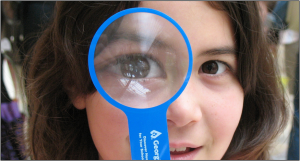 STEAM = Science, Technology, Engineering, Art and Math
Join us for STEAM powered stories, rhymes, songs, crafts, experiments, and sensory experiences for preschool children ages 3-6 and their caregivers.
Select Saturdays, 11-11:45am
November 14: Fire Science and Safety (with the San Rafael Fire Department)
November 21: Games and Play (International Games Day)
December 5: Nighttime
December 12: The Power of Air
Registration is required. Please register at the Children’s Reference Desk, or give us a call at 415-485-3322. Thanks to the Friends of the San Rafael Public Library for sponsoring this series of programs.
No comments10 signs of Alzheimer’s Disease – The Next Chapter: Retirement
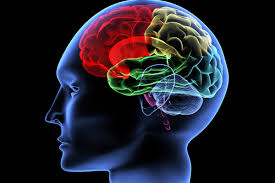
Speaker: Shelley Dombroski, director of the Northern California Alzheimer’s Association.
Memory loss that disrupts daily life may be a symptom of Alzheimer’s or another dementia.
There are 10 warning signs and symptoms. Every individual may experience one or more of these signs in different degrees.
In this class you will learn:
- 10 early signs and symptoms of Alzheimer’s
- Typical age-related memory loss and other changes compared to Alzheimer’s
- What to do if you notice these signs
- For your doctor’s visit, 10 Warning Signs Checklist
No comments
Intro to DNA Testing – Topics on Genealogy

Speaker: Vernon Smith from the Marin County Genealogy Society
DNA tests can be used as a tool to explore ancestral origins and relationships between individuals associated with your family tree.
In this class we will cover the different types of DNA tests, what they reveal, where to get them, and their limitations.
Stay tuned for more Topics on Genealogy each month. Coming up…
Tuesday, Nov. 17 at 2pm : Ancestry.com, with Sierra Pope, president of the Marin Genealogical Society
Wednesday, Dec. 2 at 6pm : Lies, Lies, Damn Lies with Jeffery Vaillant, president of the Sonoma County Genealogical Society
No commentsAging with Vitality – The Next Chapter: Retirement
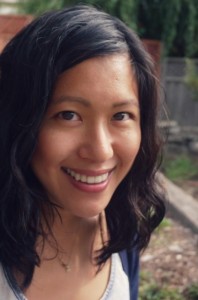

Jean Choi, nutritional therapy practitioner and certified holistic health coach, will present “Aging with Vitality” – staying healthy and vibrant with simple nutrition and lifestyle changes.
Topics will include:
- A focus on natural, fresh food to heal your body
- How sugar impacts your body
- Improving your mental health with nutrition
- Eating for joint health
- How to improve digestion naturally
- Nutrition and its connection to eye health
Visit her website Primal Health with Jean http://primalhealthwithjean.com/
No commentsIntroducing Zinio eMagazines!

Zinio is our latest eResource for online magazines. The magazines are beautiful, full color digital versions of the print magazine, with the same layout and photos.
Find out how you can get FREE access with your library card.
In this class you will learn how to:
- View magazines on your PC or Mac
- Get the free Zinio app to download on your tablet or smartphone
- Browse the collection of popular magazines
- Manage your collection
- Get available back issues
- and more…
Bring your laptop, tablet, or phone to follow along.
Your Online Library – your library card is your ticket to a world of online resources.
No commentsAncestry.com – Search Tips from an Expert!
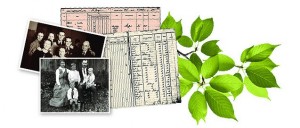

Get the Most Out of Ancestry.com with Sierra Pope
The San Rafael Library subscribes to Ancestry.com so you don’t have to!
Are you a budding genealogist? Are you stuck and want to learn more about how to conduct better searches in Ancestry.com?
Come and learn some insider tricks from experienced genealogist, Sierra Pope, so you can get the most out of Ancestry.com.
Sierra is the current president of the Marin County Genealogical Society (MCGS). After being bit by the genealogy bug while attending UC San Diego, she has been researching her family history for almost twenty years.
Sierra shares the stories of her family on her genealogy blog, www.upinthetree.com
Stay tuned for more Topics on Genealogy each month. Get on my email list for a monthly program calendar… contact me at: bonnie.groshong@cityofsanrafael.org
No comments
Harry Potter Science
 Make potions, meet ghosts, and a really sick pumpkin.
For school-aged wizards 6-9 years old. Hogwarts at the San Rafael Public Library?! You bet! Join us for a special Halloween class where we will experiment with a basic chemical reaction that will amaze, mystify, and entertain. Fun guaranteed!
Registration is required. Please register at the Children’s Reference Desk, or by calling us at (415) 485-3322. Sponsored by the Friends of the San Rafael Public Library.
No commentsBook Sale – Celebrating National Friends of the Library Week

Help us celebrate National Friends of the Library Week! Step into the beautiful Friends Books store for some great deals on books of all kinds.
Your purchase supports the library’s programs, books, supplies, & more!
Become a member or volunteer you time, energy and ideas!
-
Downtown Library
Hours
Sun: 10 AM–5 PM
Mon: 10 AM–7 PM
Tues: 10 AM–7 PM
Weds: 10 AM–7 PM
Thurs: 10 AM–5 PM
Fri: 10 AM–5 PM
Sat: 10 AM–5 PMContact
(415) 485-3323Address
1100 E Street
San Rafael, CA 94901
-
Pickleweed Library
Hours
Sun: Closed
Mon: Closed
Tues: 9 AM–5 PM
Weds: 9 AM–5 PM
Thurs: 9 AM–5 PM
Fri: Closed
Sat: ClosedContact
(415) 485-3483Address
50 Canal Street
San Rafael, CA 94901
-
Northgate Library
Hours
Sun: Closed
Mon: Closed
Tues: 12 PM–7 PM
Weds: 10 AM–5 PM
Thurs: 10 AM–5 PM
Fri: 10 AM–5 PM
Sat: 10 AM–5 PM
Contact
(415) 890-5670Address
5800 Northgate Drive, Ste. 083
San Rafael, CA 94903
-
Contact Us
Send us a message!